
Download MadMACs – change mac address, random mac address, privacy tool, mac address changer, network privacy, device anonymity, android app, local network security, secure device, mac spoofing
Overview
MadMACs is a specialized Android application designed to enhance user privacy on local networks by enabling the modification of MAC addresses and host names. Its core purpose is to provide a straightforward method for masking a device’s true identity during network connections, thereby reducing the risk of tracking, surveillance, or data correlation by network administrators or third-party tools. This functionality is particularly valuable in public Wi-Fi environments, shared networks, or any scenario where users seek to maintain anonymity and control over their digital footprint.
The app targets individuals concerned about network privacy, including privacy-conscious users, digital activists, and those operating in sensitive environments. While the developer, MadMACs, has not provided extensive background details, the app’s longevity—first released in 2008—suggests a proven track record of reliability and user demand within niche technical communities. Real-world use cases include bypassing MAC-based access restrictions, preventing persistent device identification by DHCP servers, and minimizing exposure to network-based profiling.
In the broader mobile app ecosystem, MadMACs occupies a unique position as a utility tool focused on low-level network privacy. Unlike mainstream apps that prioritize convenience or entertainment, MadMACs serves a critical function in securing device-level anonymity. Its continued availability, despite the passage of time, underscores its relevance in an era where network surveillance and data harvesting are increasingly prevalent.
Key Features & Functionality
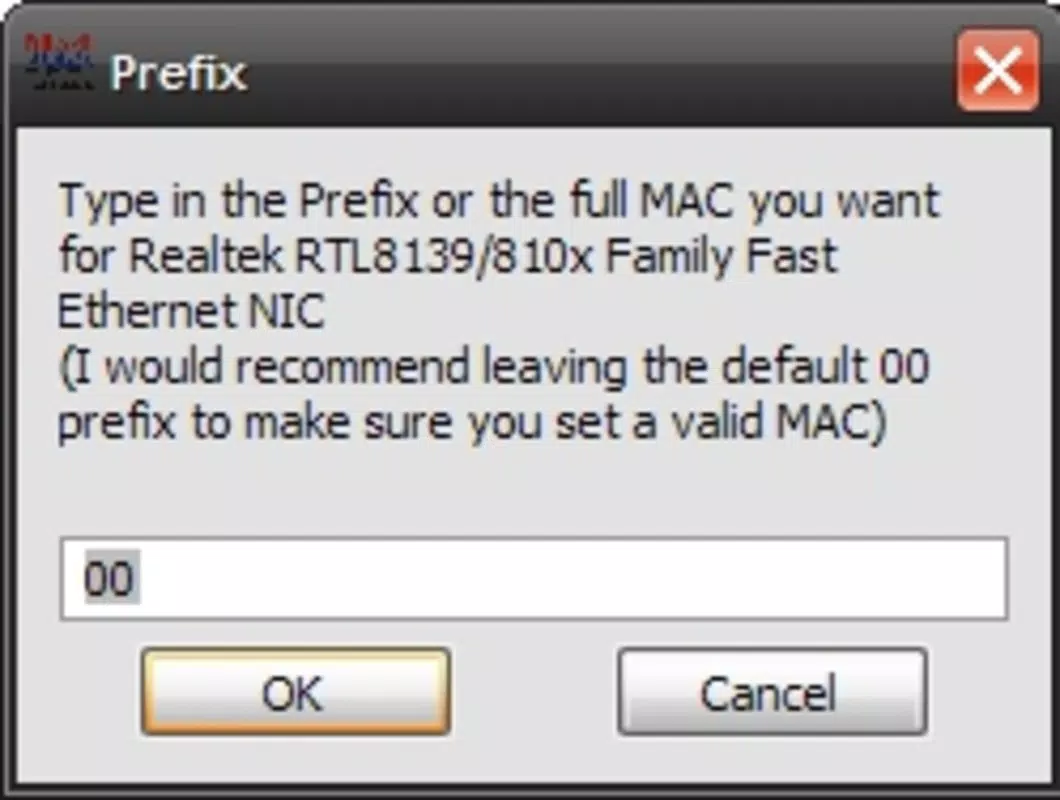
- Easy to Use Interface: MadMACs features a minimalistic interface that allows users to input custom MAC address prefixes without requiring advanced networking knowledge. This accessibility makes it usable for both casual users and those with technical experience.
- Random MAC Address Generation: The app can generate random MAC addresses, helping users avoid predictable patterns that could be exploited for tracking. This feature supports true anonymity on local networks where MAC addresses are used for identification.
- Multi-Device Support: MadMACs is capable of modifying MAC addresses for both Wi-Fi and Ethernet network interfaces, ensuring comprehensive coverage across different connection types on Android devices.
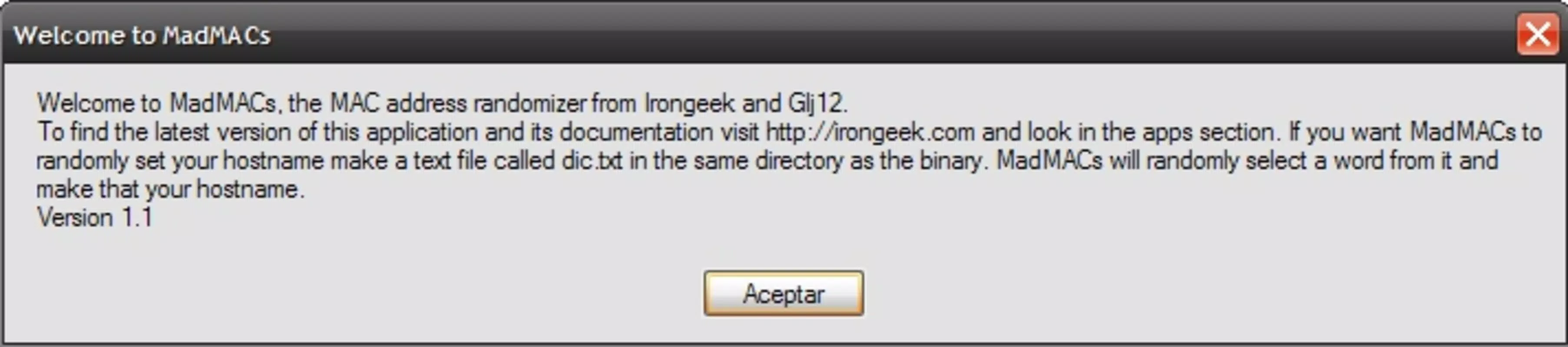
- Custom Host Name Configuration: Users can change their device’s host name by placing a 'dic.txt' file in the app’s directory. An example file is included, simplifying setup for users who want to customize their network identity.
- Enhanced Network Privacy: By presenting fictitious MAC addresses to DHCP servers, MadMACs helps prevent long-term device tracking and strengthens overall network security for users who value privacy.
For example, a user connecting to a public library’s Wi-Fi can use MadMACs to avoid being identified across sessions. Similarly, someone conducting research in a monitored environment may use the app to obscure their device’s presence. These practical applications demonstrate how MadMACs functions as a discreet yet powerful privacy tool within real-world scenarios.
How to Use Random MAC Address Generation
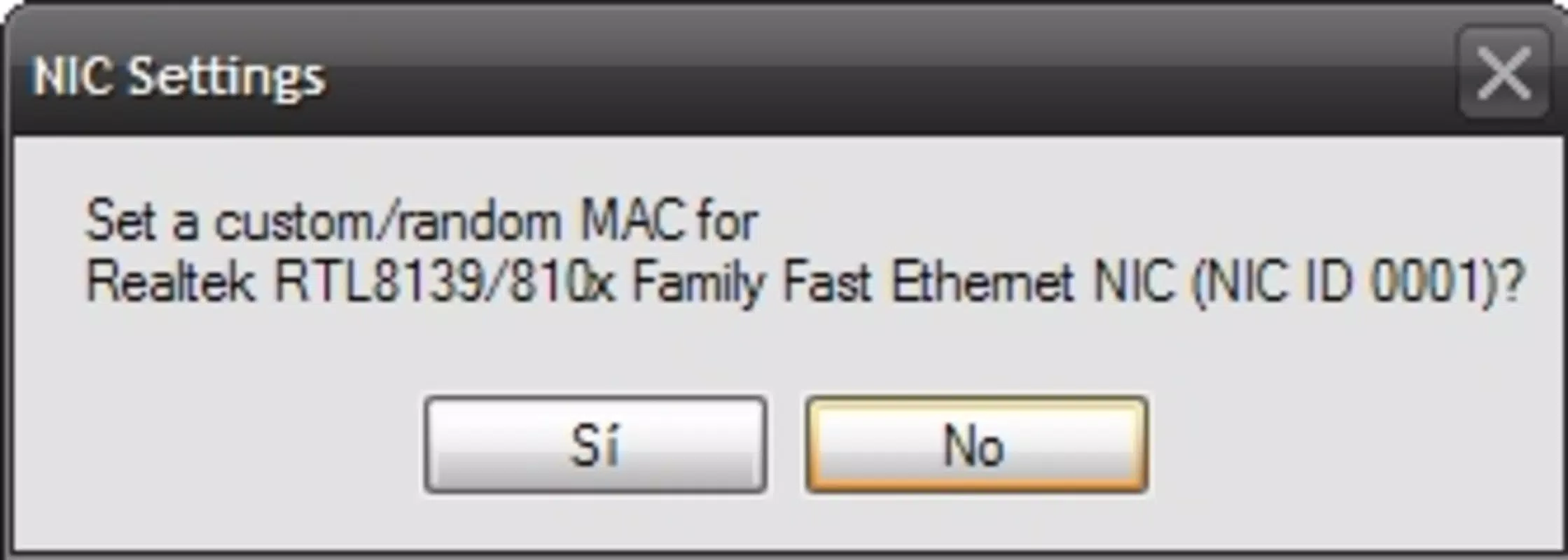
To generate a random MAC address, users open the app, select the "Random" option, and confirm the change. The device’s network interface is updated immediately, and the new address is used for subsequent connections. This process is reversible, allowing users to restore the original MAC address when needed.
Setting Up Custom Host Names
Custom host names are configured by placing a 'dic.txt' file in the app’s program directory. The file should contain one host name per line. The app reads this file and allows users to select from the list during configuration. This feature is ideal for users who want to maintain a consistent but non-identifiable network identity.
Interface, UX & Performance
MadMACs features a clean, text-based interface that prioritizes functionality over visual flair. The layout is straightforward, with clearly labeled options for MAC address modification and host name changes. Navigation is linear and intuitive, requiring minimal onboarding. Users can access core functions with just a few taps, which contributes to a smooth and efficient experience.
The app’s visual style reflects its utility-focused design, with minimal animations and no complex graphics. While this may appear outdated by modern standards, it aligns with the app’s purpose: to deliver reliable functionality without distractions. The interface remains responsive across various Android device sizes and screen resolutions.
Although the developer did not list formal performance metrics, the app’s lightweight footprint—2.4 MB—suggests it operates efficiently without consuming significant system resources. It runs stably on most Android devices, though compatibility with newer OS versions has not been fully disclosed. Users may encounter occasional delays during network interface updates, but these are typical for low-level system modifications.
Platform Compatibility & Technical Requirements
MadMACs is available exclusively on the Android platform. The current version is 2.5.2, released on August 7, 2008. The app has a file size of 2.4 MB, indicating a minimal resource footprint. The developer did not specify minimum OS requirements or hardware specifications, so users should exercise caution when installing on newer Android versions.
Compatibility information was not fully disclosed, and there is no official indication of support for Android 10 or later. Users should verify whether the app functions properly on their specific device and OS version. The absence of a modern update cycle suggests that MadMACs may not be optimized for the latest Android security and permission models.
Pros and Cons
- Lightweight and fast with minimal storage usage
- Simple, intuitive interface suitable for non-technical users
- Supports both Wi-Fi and Ethernet MAC address changes
- Offers random MAC address generation for enhanced anonymity
- Free to download and use with no in-app purchases
- Released in 2008; may lack support for newer Android versions
- No official updates or developer communication since release
- Compatibility with modern Android security features is uncertain
- Does not provide detailed logs or change history
- Custom host name setup requires manual file management
FAQ
Is MadMACs safe to use on my Android device?
Yes, MadMACs is designed to modify network settings at the system level. However, users should ensure they have proper permissions and understand that changing MAC addresses may affect network connectivity or violate terms of service on certain networks.
Can I use MadMACs on iOS devices?
No, MadMACs is currently only available for Android. There is no official iOS version or alternative for Apple devices.
Does MadMACs require root access?
The developer did not specify whether root access is required. However, many MAC address changers on Android operate without root, so it is possible that MadMACs functions on non-rooted devices.
How often can I change my MAC address using MadMACs?
Users can change their MAC address as frequently as needed. The app allows for immediate updates and supports both manual and random generation.
Is MadMACs updated regularly?
There is no indication of regular updates. The last release was in 2008, and no new versions have been issued since. Users should assess the app’s compatibility with their current Android OS.
Final Thoughts
MadMACs remains a niche but valuable tool for users prioritizing privacy on local networks. Its ability to change MAC addresses and host names with minimal complexity makes it a practical choice for individuals seeking to obscure their device identity. While the app’s age is evident in its interface and lack of modern updates, its core functionality remains effective for basic network anonymity.
Those who value control over their digital footprint—especially in public or monitored environments—will find MadMACs to be a reliable and free solution. Its lightweight design and straightforward operation ensure it runs efficiently even on older hardware.
Despite its limitations, MadMACs delivers a focused, no-frills experience that stands out in a crowded app market. For users looking to enhance their local network privacy without relying on complex tools, this app offers real utility.
Download MadMACs now


